
Open Files from the Internet Directly in Your Desktop Applications

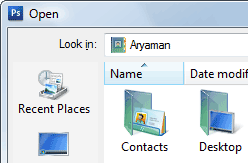 How do you bring an image from the the web into some desktop image editor like Photoshop or MS Paint for editing ? Or how do you import a text file from the internet into Microsoft Excel for data analysis ?
A common approach would be that you first download that image or text file from the internet onto your desktop, start the corresponding desktop application and then do a File -> Open.
Here’s a a slightly more efficient approach where you can effectively skip the first step - open Photoshop (or any other software) and do a File -> Open. Now instead of browsing for the file in your local folders, type the web address (URL) of that file and press Enter.
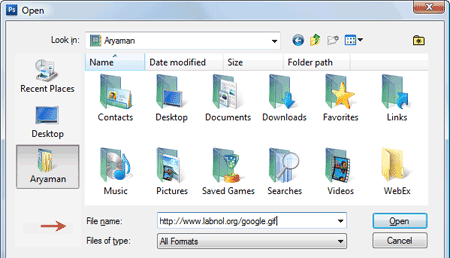
Adobe Photoshop will fetch that file from web and open it just like any other local file. You could use the same trick to view the HTML source of a web page in a text editor like notepad.
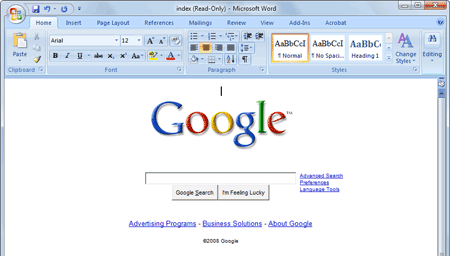
You should also try opening a web page in Microsoft Word - it renders the page with all the formatting and give you features of a WYSIWYG editor. Here’s the Google home page inside Microsoft Word.
Other than files on regular web servers, you can also use the File -> Open dialog of your favorite application to view files residing on FTP servers. The syntax will be ftp://user:password@ftpserver/foldername/filename.extension

Amit Agarwal
Google Developer Expert, Google Cloud Champion
Amit Agarwal is a Google Developer Expert in Google Workspace and Google Apps Script. He holds an engineering degree in Computer Science (I.I.T.) and is the first professional blogger in India.
Amit has developed several popular Google add-ons including Mail Merge for Gmail and Document Studio. Read more on Lifehacker and YourStory























