Imagine a situation where you are browsing the web in Firefox and simultaneously watching some video podcast in Windows Movie Player or QuickTime.
That Firefox window is running in "Maximized" mode so each time you switch to Firefox, the media player window disappears as it moves to the background behind Firefox.
So what do you do to prevent that video clip from hiding even while you continue to work in a browser?
Enter "Always on Top" – it’s a free utility written in Autohotkey that will stick any program window to the foreground of your desktop with a simple keyboard shortcut. Some examples:
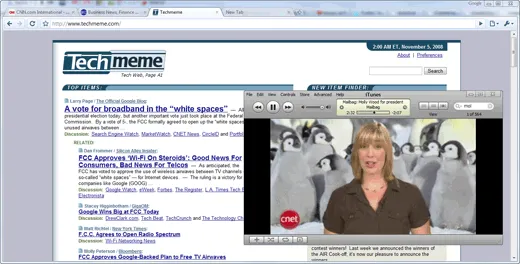
Browser running in foreground but QuickTime is always visible
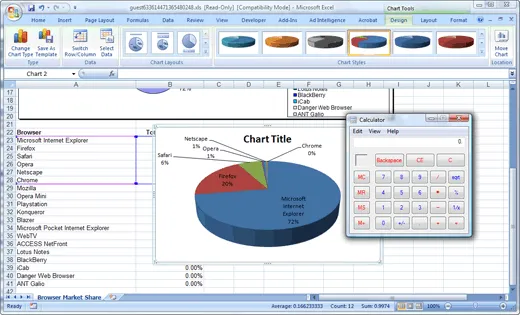
Keep the notepad or calculator handy while using an Excel Spreadsheet
To get started, download the Always On Top utility from box.net (<200k) and run it. Then select the window you like to keep on top and press the Ctrl+Space shortcut to stick that window in the front.
You no longer have to worry about arranging windows side-by-side to copy-paste information from one window to another.
If you like to disable sticking and restore the default window behavior, just press the same Ctrl+Space shortcut again.
Video Demo - Always on Top Utility
The program is written in Autohotkey with a single line of code:
^SPACE:: Winset, Alwaysontop, , A


Find this article at: http://www.labnol.org/software/tutorials/keep-window-always-on-top/5213/
web: http://www.labnol.org/ email: amit@labnol.org


Reader Comments
Thanks, Really nice work……. Very useful……Sure it will save lot of my time.
Written by Shinto Mathew on 11.05.08
Awesome, I just implemented a similar program on my PC last week, but this looks better.
Written by The Windows Fix on 11.05.08
Perfect - thanks!
Written by Scott on 11.05.08
Really interesting… there was a virus with it and my anti virus killed it!
Written by Tony on 11.05.08
Very cool app; thank you!
Written by Christian Markley on 11.05.08
Really a good find. Increased my productivity for sure and was inspired this small tool to write a post of my own.
Written by ganesh on 11.06.08
Great app. No install required and it works like a charm.
Written by Dev on 12.15.08
i have winxp sp2 32bit, but this tool is working on all player except quick time player why? plz answer
Written by haripal on 12.21.08
Works great on Firefox, but only for one session. If I close FF3 and then open it again, I can’t use it unless I download it again.
Written by Dave on 12.24.08
Great Program, but does it work for Quicktime on PC?
Written by Jereem on 01.19.09
Awesome. I see haripal says it only works for one session in Firefox. Then he has to download it again.
I have used On Top repeatedly in Firefox without having to download the program again. Present date is March 9, 2009.
So go ahead and give it a try. I love it. What a great click (time saver). Thanks indeed.
Written by Joaquin on 03.09.09
Perfect.Works great on Firefox.It’s a great time saver. Thank You
Written by vikas on 04.15.09

