Translate Word Documents Quickly with Windows Live Translator

Microsoft Word and other Office programs gave a built-in language translator powered by WorldLingo but now you can also integrate the Windows Live Translator service into Office that in-turn uses Systran.
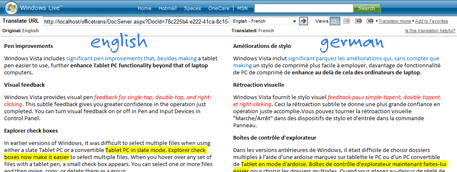
When you translate a Word Document via Windows Live Translator, it opens both the source document and translated version side-by-side in a browser window so you can easily only compare the results. The document formatting is also preserved.
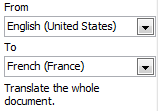 To integrate Translator into Office Word, follow these simple steps. Going forward, the service will be pushed via an Office Update so you need not have to install it separately.
This works only with Word documents but you can translate PowerPoint presentations and other documents formats using this workaround.

Amit Agarwal
Google Developer Expert, Google Cloud Champion
Amit Agarwal is a Google Developer Expert in Google Workspace and Google Apps Script. He holds an engineering degree in Computer Science (I.I.T.) and is the first professional blogger in India.
Amit has developed several popular Google add-ons including Mail Merge for Gmail and Document Studio. Read more on Lifehacker and YourStory