It’s your colleague Matt’s birthday today and you are sending him a greeting over email. You have also included the email addresses of your other team members as even they would like to wish Matt on his birthday.
You hit send and your email almost sets off a chain reaction flooding everyone’s inboxes because most people decide to do a “Reply all” instead of wishing Matt directly.
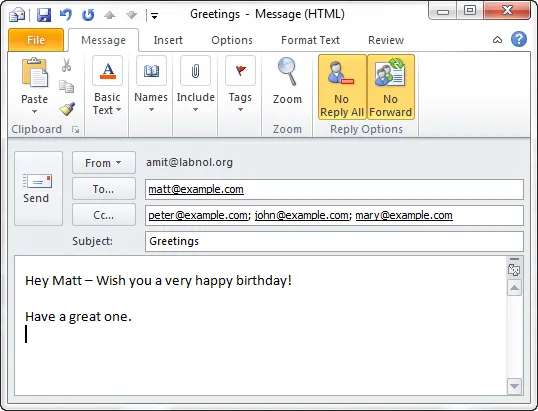
Sounds familiar? Well, these are the exact kinds of problems that NoReplyAll, a free plug-in for Microsoft Outlook, can easily prevent.
Also see: Complete Guide to Outlook Add-ins
Block “Reply to All” and Email Forwarding Options
The plug-in gives you an option to prevent other people from forwarding your emails to other people or from doing a “reply all” with your email messages.
Once installed, it will add two new buttons in your Outlook compose mail window - “No Reply All” and “No Forward” – enable them both to prevent people from replying to all the recipients of your message or from forwarding it .
When the recipients will open your email message inside their Microsoft Outlook, both the Reply-All and Forward buttons would be disabled on the screens thus preventing them from performing those two actions.
Technically, people can still forward or do a reply-all with your messages, but that would involve lot of extra work for them.
The No-Reply-All plug-in needs to be installed only on the sender’s computer and will obviously work only when the recipient is also reading your message inside their Outlook program.






