Microsoft Synctoy is a must-have utility to help you synchronize files in different directories of the same computer or between a computer and external storage devices like the iPod and USB pen drives.
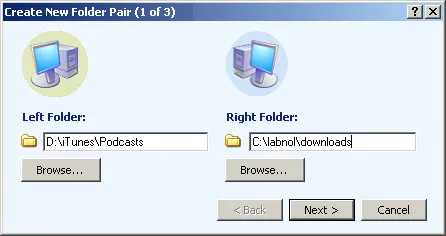
As in the figure above, you first select a pair of folders that you want to keep in Sync via Synctoy. Then decide the action - should the two folders be clones or only the new files have to be copied ?
SyncToy supports wild-cards in file names (./images/2004/like *.exe or holiday_*.jpg) so you can decide what files are included or excluded during the sync process.
And using SyncToy is completely risk free - it has a wonderful preview feature that lets you see what operations would take place during the run without performing any changes on your computer.
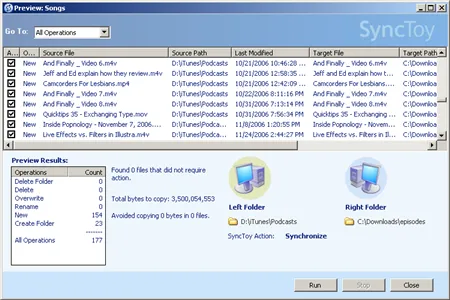
SyncToy v2.0 [for Windows XP and Vista]
*If you were to sync files and folders on multiple computers via the internet, consider FolderShare - it can also sync files between a Mac and Windows computer.






