Google English To Hindi Transliteration - Type Hindi in English

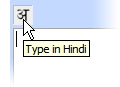 The English to Hindi transliteration feature in Blogger is now available as a separate tool on Google Labs.
Related: Translate Hindi to English Online
Unlike Quillpad or the Microsoft Phonetic tool which support most Indic languages (like Tamil, Telugu, Kannada, Malayalam), Google’s transliteration software works only for Hindi.
Transliteration requires a live internet connection, as all the transliteration is done on Google’s servers and sent back to your browser while you continue typing.
The transliteration feature is only supported in Internet Explorer versions 6.0 and higher on Windows (preferably Windows XP), and Firefox 1.5 and higher on Windows and Linux.
More transliteration tools include Hindi Kalam and Quillpad.

Amit Agarwal
Google Developer Expert, Google Cloud Champion
Amit Agarwal is a Google Developer Expert in Google Workspace and Google Apps Script. He holds an engineering degree in Computer Science (I.I.T.) and is the first professional blogger in India.
Amit has developed several popular Google add-ons including Mail Merge for Gmail and Document Studio. Read more on Lifehacker and YourStory