 Coinciding with the launch of Firefox 3 Beta 3, Google today quietly released a new update for their Google Notebook add-on to make their note taking software compatible with the new Firefox release.
There’s a small but useful enhancement - you can select any text snippet on a web page and a “Note This” button appears so you can save that information in Google Notebook right away. This is somewhat similar to the Note This feature on Google.com.
*You can run Firefox 3 and Firefox 2 together on the same computer - after the jump.
 Mozilla Announcement Firefox 3 Beta 3
Firefox-3.0b3.exe (direct download link, ~6 MB)
Google Notebook Extension (xpi - version 1.0.0.19)
Mozilla Announcement Firefox 3 Beta 3
Firefox-3.0b3.exe (direct download link, ~6 MB)
Google Notebook Extension (xpi - version 1.0.0.19)
I have been playing with Firefox 3 browser since morning and absolutely love the new enhancements. Firefox 3, though in beta, is fast and consumes far less processing power than Firefox 2. Definitely recommended.
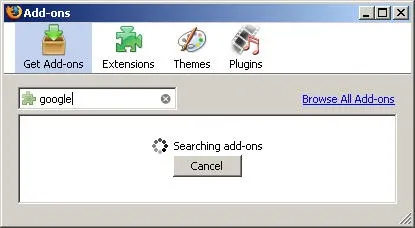
The other useful feature is that you can now download and install new Firefox Extensions without visiting any external websites.
Unfortunately some of our favorite Firefox add-ons are still not working with Firefox 3 especially Firebug but there’s a simple workaround - you can run Firefox 3 alongside Firefox 2 with no problems as the new version is also uploaded on PortableApps.






