Hide Your Web Images From Normal View with a Text Layer

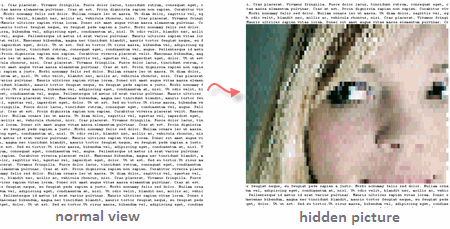
Erik Kastner has created a cool tool to hide images from normal view.
When people open a web page containing an hidden image, all they see is some plain text - the actual picture is revealed only when they select the entire text with a mouse. See example above.
Your image is first converted into ASCII Text (colored) but rendered on the web page as black text with a white background. Now when you highlight a selection, they change the background color using some CSS property and that reveals the image.
Play with the tool at Erik’s site [Hide an image in HTML].

Amit Agarwal
Google Developer Expert, Google Cloud Champion
Amit Agarwal is a Google Developer Expert in Google Workspace and Google Apps Script. He holds an engineering degree in Computer Science (I.I.T.) and is the first professional blogger in India.
Amit has developed several popular Google add-ons including Mail Merge for Gmail and Document Studio. Read more on Lifehacker and YourStory