Digital Inspiration

about    faq    contact

Click TinyURL Links Without Getting Into Embarrassing Situations

decode-tinyurl Say you are sitting inside the office cubicle and get an email or a twitter alert from an old college friend that goes something like this:

"Hey! This website is cool, check it out - http://tinyurl.com/161."

You are tempted to click the link but the problem is that you have no clue if that TinyURL link will transport you to some safe-for-work website or not.

Now if you don’t want to get into an embarrassing situation but still would like to check out websites that are redirected through TinyURL, here’s a simple trick:

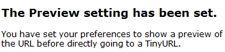
Go to tinyurl.com and enable the preview feature. This will set a cookie in your browser that will prevent TinyURL from automatically redirected you to the main site - it will only display the underlying web address but won’t take you there.

The other option is that you add the word "preview" to the main URL itself (tinyurl.com/161 => preview.tinyurl.com/161) - use this if you want to check for safe URLs occasionally else the previous trick is better.

Related: TinyURL for Sharing Adult NSFW Links

Email This   Print Article   Save as PDF   Subscribe   Translate 

Published on April 18, 2008 under Internet, Tumblelog
Tags: , ,

Recommended Google Software:

You may also like to read ..

 · TinyURL Alternative for Sharing NSFW (Not Safe for Work) Links
 · Extract Email Addresses from Messages in Outlook Folders
 · Sync Windows XP Clock with Internet Time Server
 · Change Resolution of Computer Monitor in Windows XP
 · Adsense Click Fraud Estimates by Third-Party Auditors

Reader Comments

#1 Siddharth 04.19.08

This will help for sure, mostly on twitter people do that and really we think twice before opening that link.

#2 pcsourcepoint 04.19.08

Thanks for the tip, particularly if in a bit of a rush and have several emails to sift through. Perhaps some email programs have a preview function (or a add on)that can readily display the site’s real address…

#3 Janelle 04.19.08

Thanks, I’m the same with the Twitter links. Never sure where you’re going to end up and especially for the work environment these days, you just can’t risk it. This is a great way to make sure you’re not going to end up in trouble.

#4 Sree Prakash 04.20.08

Thanks Amit for the nice trick…

#5 DJYano 04.20.08

Hi amit, this tip is great, now i can see the TinyURL, you always supply me answers to anything. Good job bro.

#6 Zuberr from FusionFoot 04.21.08

Nice tip! I wonder if the other “URL shrinking” services have this feature…
Definitely helps for Twitter!

#7 Milan Chheda 04.21.08

Nice Post. This will definitely help many people as most people either ignore links of tinyurl as they dont know what site will be opened or they just click it without knowing whats in it.
This is a really a great tip to make sure that you’re not going to end up in trouble.

Add a Comment

If you have a question that is not related to the above discussion, please post your question in the message board for quick answers. All comments are moderated.


Joing the Facebook Group

Visit Help Central


© 2008 Digital Inspiration - Technology, à la Carte | Mobile Edition | Videos | Terms

The articles are copyrighted to Amit Agarwal and can only be reproduced given the author's permission.

My Google  Netvibes  My Yahoo!  Windows Live  Bloglines  Newsgator  

Skip to top of the page ^^