
Switch from Yahoo Mail to Gmail

If you like to abandon your Yahoo Mail account in favor of Gmail, here’s some good news. You can now move copy all your old contacts and email messages from the Yahoo! inbox to your new Gmail address without having to worry about complex IMAP or POP3 configuration.
How to Move from Yahoo Mail to Gmail
Gmail now offers a new import mails option under Settings -> Accounts and Import. Enter the username and password of Yahoo Mail account and all the messages will be copied to your Gmail account in the next few hours. Once the migration is over, any incoming email on your old Yahoo address will be auto-forward to your Gmail account for another month.
The reason why I stressed Yahoo! Mail here is because it was the only web email service that required users to upgrade to Mail! Plus for them to move their data out to another email provider. That however changed with today’s announcement on the Gmail blog.
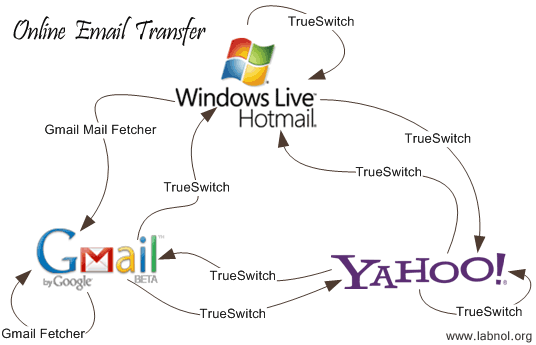
The Import function is currently available in new Gmail accounts only (not Google Apps) but it will soon be available for all so if you are in a hurry, just set up another Gmail account and use Mail Fetcher to copy Yahoo mails from this new address to your old Gmail account.
Related: Email Transfer - A Visual Guide

Amit Agarwal
Google Developer Expert, Google Cloud Champion
Amit Agarwal is a Google Developer Expert in Google Workspace and Google Apps Script. He holds an engineering degree in Computer Science (I.I.T.) and is the first professional blogger in India.
Amit has developed several popular Google add-ons including Mail Merge for Gmail and Document Studio. Read more on Lifehacker and YourStory























