
Keep track of your Tasks within Gmail

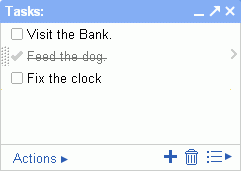
Google now offers you a simple way to track your task list with an always visible window right inside Gmail.
To add a task, click on “Tasks” below the “Contacts” link and start typing. Or you can select an email, go to “More Actions” and “Add to Tasks”.
This is an experimental feature that can be enabled via “Settings” > “Labs” > “Tasks”.

Amit Agarwal
Google Developer Expert, Google Cloud Champion
Amit Agarwal is a Google Developer Expert in Google Workspace and Google Apps Script. He holds an engineering degree in Computer Science (I.I.T.) and is the first professional blogger in India.
Amit has developed several popular Google add-ons including Mail Merge for Gmail and Document Studio. Read more on Lifehacker and YourStory























