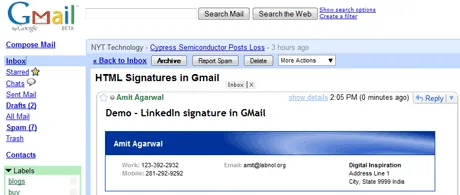
LinkedIn members can create HTML based email signatures that may have your contact information, website addresses and even an image of your company logo. Here’s a sample LinkedIn signature embedded in a Gmail message.
You can create a personalized signature for your own Linkedin profile here.
Since the LinkedIn signatures are done in HTML, you cannot directly add them in web email programs like Gmail or Windows Live Hotmail since they do not support HTML email signatures. (Yahoo! Mail is an exception).
There’s however a simple workaround (Also see: “HTML Signatures in Gmail”).
All you have to do is open the LinkedIn Signature Generator website in one browser window and the Gmail compose message pane in another one. Now select all the text in your LinkedIn Signature and drop it onto your Gmail window.
You’ll be surprised that Gmail gets an exact copy of the signature with all the formatting and the background image. If you can’t get the drag-n-drop thing to work, check this video for a quick demo:






