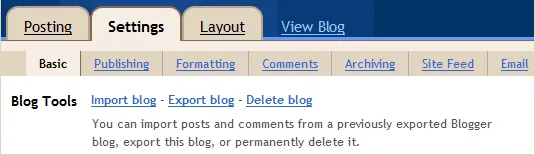
The Import & Export feature in Blogger is now live and can be accessed from the Settings tab of your Blogger dashboard.
With “Export Blog,” you can easily create a complete backup of your Blogger blog on to the hard drive and this may come handy in situations when you accidentally delete some old blog post or if Google blocks your blog due to policy violations - at least you’ll have a local copy of all the content that you may publish elsewhere.
Other that creating a safe backup, you may also use the export (followed by import) function to merge multiple blogs into one.
How to Backup your Blogger Blog
Open your Blogger dashboard and choose Settings -> Other. Here you’ll see an option that says “Export Blog” - click the link and it will download a copy of your blog posts and comments to the hard disk in Atom (XML) format.
How to Backup your Blog Template
If you would like to save a copy of your Blogger Theme (or template), choose Template in your Blogger Dashboard and click the Backup button in the top right corner. This will again download the full template in XML format.
Important: The XML file created by Blogger is not compatible with external blogging platforms so if you like to move blogs from Blogger to WordPress, use the built-in import function available inside WordPress.






